ClickSQL is the native Windows desktop application that makes query writing faster, clearer, and error-free. Build multi-level CTEs and complex subqueries visually—then transition smoothly to full text SQL and back without losing state.
Most query generators are a one-way street: once you generate raw SQL and touch the code, your visual layout is destroyed forever. ClickSQL changes that.
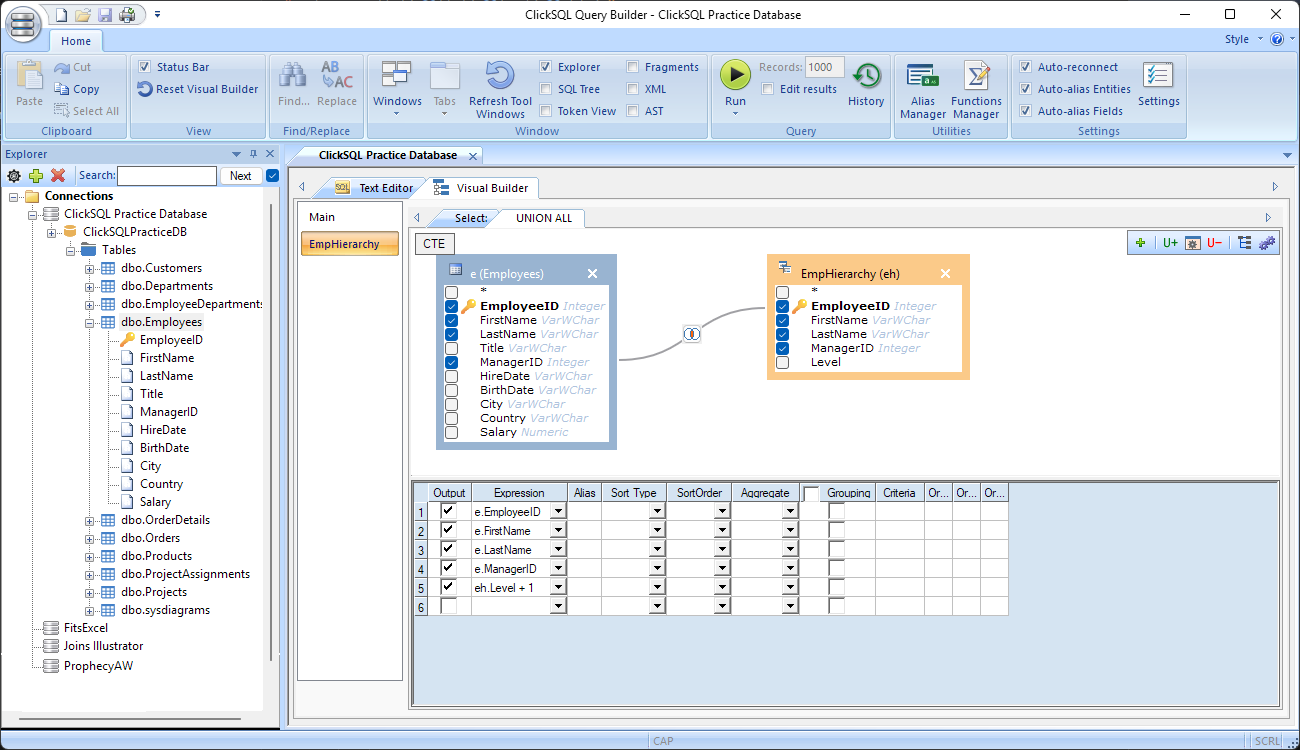
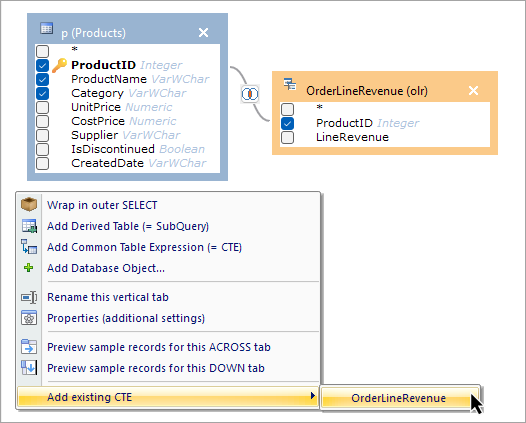
Point, click, and join tables, views, multi-level subqueries, and Common Table Expressions (CTEs). Structural relationships become instantly visual, making even the most intricate query structures simple to comprehend.
Switch straight to the text editor to edit SQL code directly with full IntelliSense. Powered by standard Microsoft ScriptDOM, your code is validated, parsed, and immediately ready to be loaded right back into the visual designer.
Everything you need to write, diagnose, test, and extract data faster than ever before.
Preview sample records of any table, view, CTE, or nested subquery with a single click, eliminating the need to write exploratory queries.
Standardized, reliable SQL formatting with robust syntax checking, accurate error positioning, and extra layout adjustments standard ScriptDOM leaves out.
Trigger instant code completion using Ctrl + Space or live keystrokes. Quick access to tables, views, fields, and custom built-in functions.
Remembers custom aliases previously applied to fields and tables. Re-applies them whenever the table or field is selected. Toggle on or off as needed.
A searchable history cataloging every query executed against your connections across sessions. Search and open any previous query directly back into the visual designer.
Pre-populated with common SQL functions. You can add, categorize, and define your own user-defined functions (UDFs) to appear immediately in IntelliSense.
Even seasoned SQL professionals can get bogged down deciphering deeply nested code. ClickSQL maps out queries visually so you can track data flow effortlessly.
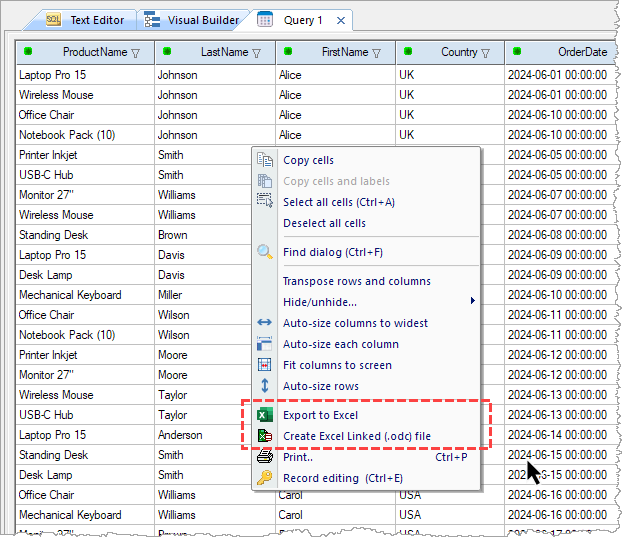
Execute queries directly in the integrated Results View. Perform quick record filtering, print, or copy data straight to your Windows clipboard.
Reliable, lightweight, and engineered in C++.
Built for Microsoft SQL Server. But, as it connects via ODBC, you're not locked in —extend your reach to Oracle, PostgreSQL, MySQL, SQLite, Access, and any other source with a standard Windows ODBC Data Source component. One tool, full SQL Server power, unlimited database possibilities.
Available in native 64-bit and 32-bit builds to match your installed ODBC drivers and database legacy connectors without architecture conflicts.
Choose a standard desktop installer, or run the portable version straight from a USB thumb drive.
Backed by Microsoft's official AST engine, guaranteeing standards-compliant SQL query generation, valid parsing, and syntax check precision.
Start building faster, cleaner, and more maintainable SQL queries today. Available with native installation or zero-install portable deployment.
Compatible with Windows 11, Windows 10, and Windows Server editions.